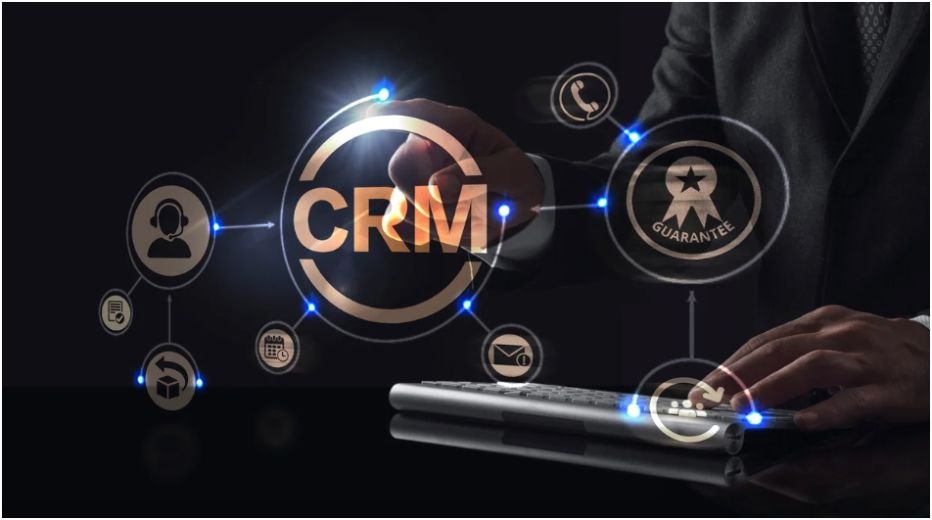
I used to think picking the best CRM software for small business was just about features and pricing. I was wrong. The real struggle is choosing something you’ll actually use every day without feeling overwhelmed or wasting hours on setup.
If you’re a beginner, the goal isn’t finding the “most powerful” CRM. It’s finding one that fits your workflow, grows with you, and doesn’t slow you down. I’ve tested a few, and the difference between a good and bad CRM shows up fast—in missed follow-ups, messy pipelines, and lost deals.
Key Takeaways
- The best CRM is the one you’ll consistently use, not the most complex one
- Start with simple tools like HubSpot CRM or Zoho CRM
- Focus on automation and lead tracking early to save time
- Avoid over-customization in the beginning
- Your CRM should match your daily workflow, not disrupt it
What Is the Best CRM Software for Small Business?
The best CRM software for small business depends on one thing: how you manage your customers daily.
If you’re just starting out, I always recommend tools that feel intuitive. HubSpot CRM works well because it’s clean, free to start, and doesn’t overwhelm you. You can track contacts, emails, and deals without needing technical skills.
If you want more control, Zoho CRM gives you deeper customization. I’ve seen small teams use it to build workflows that match their exact sales process without hiring a developer.
Why Do Small Businesses Struggle With CRMs?

Most beginners don’t fail because of the tool. They fail because they choose something too complicated.
I’ve seen this happen a lot. You sign up for a powerful CRM, get excited, and then stop using it after a week. Too many features, too many settings, and no clear system.
Another common issue is not defining your sales process first. A CRM doesn’t fix chaos. It organizes what already exists. If your follow-ups and lead tracking are messy, the CRM will reflect that.
Which CRM Tools Actually Make Life Easier?

Simple and Beginner-Friendly Options
If you want something you can start using today, HubSpot CRM is the easiest entry point. It handles contacts, emails, and pipelines in one place.
Bigin by Zoho is another great pick if you run a micro-business. It’s simple, fast, and built for small teams that don’t need advanced features yet.
Sales-Focused Tools
If your focus is closing deals, Pipedrive stands out. Its drag-and-drop pipeline makes it easy to see where every deal is and what needs attention.
I’ve personally found this useful when managing multiple leads. You don’t have to think too much. Just move deals forward visually.
Automation and Marketing Tools
For businesses that rely on email and automation, Freshsales and ActiveCampaign offer strong lead tracking and scoring features.
These tools help you prioritize leads based on behavior, which saves time and improves conversions.
How Does Lead Scoring Improve CRM Results?

This is something most beginners overlook.
Lead scoring assigns a value to each lead based on how likely they are to convert. Instead of guessing who to contact, your CRM tells you where to focus.
Fit vs Engagement
Fit is about who the lead is. Job title, company size, and industry matter here.
Engagement is about what the lead does. Visiting your pricing page or requesting a demo shows intent.
Why This Matters Daily
I’ve noticed that once you start using lead scoring, your workflow changes completely. You stop chasing cold leads and focus on people who are ready to buy.
Tools like HubSpot Marketing Hub and Zoho CRM even use AI to predict which leads are worth your time.
What Features Should You Actually Care About?
You don’t need everything. You just need what supports your daily routine.
Ease of Use
If it takes more than a day to understand, it’s too complex. Your CRM should feel natural, not like a project.
Integrations
Make sure it connects with tools you already use. Email, accounting, and communication apps should sync easily.
If you’re building a tech stack, this connects well with cloud computing for startups, since most CRMs today are cloud-based.
Automation
Even basic automation can save hours. Follow-ups, reminders, and email tracking should run in the background.
Scalability
You don’t want to switch platforms later. Tools like Salesforce Starter are good if you plan to grow quickly.
How To Best CRM Software for Small Business

Start by writing down your current sales process. I usually map out how leads come in, how I follow up, and how deals close. This gives clarity before choosing any tool.
Next, pick a CRM that matches your current size, not your future vision. If you’re a team of one or two, start simple with something like HubSpot or Bigin. Avoid overcomplicating things early.
Then, import your contacts and organize them into clear stages. For example, new lead, contacted, follow-up, and closed. This structure helps you stay consistent.
After that, set up basic automation. Even simple email reminders or follow-up alerts can make a huge difference in daily productivity.
Finally, commit to using it daily. A CRM only works if it becomes part of your routine. I usually spend 10–15 minutes updating my pipeline every day, and it keeps everything under control.
What’s One Thing Most CRM Guides Don’t Tell You?
Here’s the truth: your CRM is only as good as your habits.
Most guides focus on features, but they ignore behavior. If you don’t update your CRM regularly, it becomes useless.
The real advantage comes from consistency. Even a simple CRM used daily will outperform a powerful one used occasionally.
Frequently Asked Questions
1. What is the best CRM software for small business beginners?
For beginners, HubSpot CRM is the easiest to start with. It’s free, simple, and covers basic sales and marketing needs without overwhelming new users.
2. Do small businesses really need a CRM?
Yes. A CRM helps you track leads, manage follow-ups, and avoid losing potential customers. Even solo entrepreneurs benefit from having everything organized in one place.
3. How much should a small business spend on a CRM?
You can start for free or under $20 per user monthly. Many tools offer scalable pricing, so you only pay more as your business grows.
4. Is lead scoring necessary for small businesses?
Not mandatory, but very helpful. It helps prioritize high-quality leads and improves efficiency, especially as your customer base grows.
The CRM Reality Check You Actually Need
The best CRM software for small business isn’t the one with the most features. It’s the one that fits your daily workflow and helps you stay consistent.
Here’s a quick comparison to keep things simple:
| CRM Tool | Best For | Starting Price |
| HubSpot CRM | Beginners / All-in-one | Free |
| Zoho CRM | Customization | $14/user/mo |
| Pipedrive | Sales tracking | $14/user/mo |
| Bigin | Micro-business | $7/user/mo |
| Freshsales | Lead scoring | $9/user/mo |
If I had to give one personal tip, it would be this: don’t overthink your choice. Pick one, start using it today, and build the habit first. The tool matters less than how you use it.